Search results for tag #fediverse
![[?]](https://hub.netzgemeinde.eu/photo/profile/l/1035?rev=1729019402)
Das mit dem #^ ist eine Hubzilla-"Spezialität", die auf Hubzilla selbst nicht auftritt, von der also die allermeisten Hubzilla-Nutzer nicht wissen. @Der Pepe (Hubzilla) ⁂, @PepeCyBs Welt: Das kommt von der Bookmarks-App. Die erzeugt diese Zeichen, die man auf Hubzilla nicht sieht, sonst aber überall.
Das mit dem kaputten Hashtag liegt daran, daß Friendica und seine Nachfahren Hubzilla, (streams) und Forte bei Hashtags die Raute nicht mit zum Teil des Link machen.
Auf Twitter/𝕏 ist die Raute bei Hashtags Teil des Link: #Fediverse. Mastodon, Misskey, all ihre Forks und viele anderen Microblogging-Anwendungen haben das so übernommen.
Auf Friendica, Hubzilla, (streams) und Forte ist die Raute bei Hashtag nicht Teil des Link: #Fediverse. Der Grund: Friendica ist kein Twitter-Ersatz, sondern eine Facebook-Alternative. Und Friendica ging schon im Mai 2010 an den Start mit genau diesen Hashtags. Das war, bevor Facebook Hashtags hatte, und das war, bevor es en vogue war, Twitter zu klonen.
Hubzilla ist umgebaut worden aus einem Fork eines Forks von Friendica. (streams) ist ein Fork eines Forks dreier Forks eines Forks (eines Forks?) von Hubzilla. Forte ist ein Fork von (streams). Alles von Friendicas eigenem Erfinder aus der Taufe gehoben. Also haben sie alle Friendicas Verhalten geerbt, auch weil es keinerlei Veranlassung gab, das zu ändern.
Das Problem ist nun: Zum einen rechnet Sharkey nicht mit Hashtags, bei denen die Raute davor statt mit drin steht (das tut Mastodon auch nicht, aber Mastodon kann das einigermaßen abfedern, seit da mal jemand einen Issue eingereicht hat). Zum anderen kann Sharkey augenscheinlich auch nicht damit umgehen, daß irgendwelche Inhalte in irgendwas anderem als Misskey-Flavored Markdown formatiert sind.
Auf Hubzilla sind Posts, Kommentare und DMs intern in BBcode formatiert. PubCrawl, das die optionale ActivityPub-Anbindung zur Verfügung stellt, wandelt den BBcode allerdings in standardkonformes Rich Text Format um, das meines Wissens so auch in der offiziellen ActivityPub-Spezifikation empfohlen wird.
Mastodon nimmt das RTF, wandelt es in HTML um, schickt es durch seinen HTML-Sanitiser, der alles Unliebsame rausschmeißt (vor Mastodon 4.0 hat der Sanitiser noch alles rausgeschmissen und nur noch Reintext übriggelassen), und zeigt das Ergebnis dann zuverlässig an.
Sharkey scheint dagegen nur gebaut zu sein gegen sich selbst (sendet wohl MFM), Misskey (sendet wohl auch MFM), eventuell andere Forkeys (senden wohl auch alle MFM) und Mastodon (kann gar keine Textformatierung erzeugen und sendet daher auch keine). Es scheint nicht damit zu rechnen, daß sich irgendwas an die Spec hält und RTF sendet.
Irgendjemand sollte sich also mal mit Fehlermeldungen an die Misskey- und Sharkey-Entwickler wenden.
Hier mal ein Test (dieser Kommentar kommt auch von Hubzilla): Funktioniert das hier?
- Stichpunktliste
- fett
- kursiv
- unterstrichen
Code
Sorry, jetzt muß ich selbst eine Zeile Hashtags einbauen, auch, um zuverlässig die Filter, die möglicherweise gerade auf Mastodon viele im Einsatz haben, auslösen zu können.
#Long #LongPost #CWLong #CWLongPost #LangerPost #CWLangerPost #FediMeta #FediverseMeta #CWFediMeta #CWFediverseMeta #Mastodon #Misskey #Sharkey #Friendica #Hubzilla #Streams #(streams) #Forte #Textformatierung #MisskeyFlavoredMarkdown #MFM #BBcode
![[?]](https://files.mastodon.social/accounts/avatars/115/872/467/894/168/268/original/5b0b51223e374c2e.png)
The city used to be a place where you could disappear. That city is dead.
Tomorrow on Impractical Privacy, we are talking about the "Spy in the Sidewalk."
Your streetlights have Bluetooth sniffers. Your neighbors' Ring cameras have built a mesh network you can't opt out of.
We’re breaking down the infrastructure of the Sentient City. Get your Faraday bags ready. 🕵️♂️📡
Listen here, or wherever you get your podcasts:
impracticalprivacy.com/
#Privacy #Infosec #OpSec #Fediverse #Surveillance
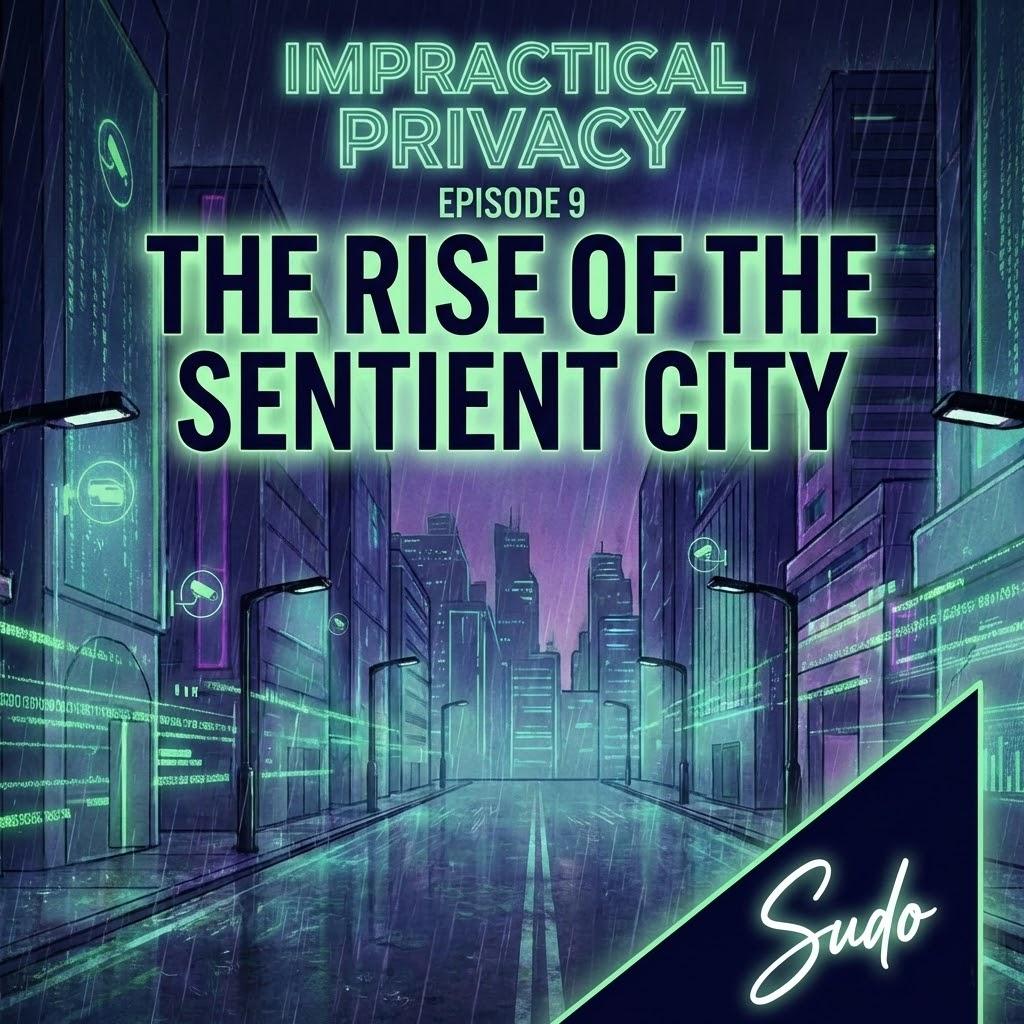
Alt...
Podcast cover art titled "Impractical Privacy, Episode 9: The Rise of the Sentient City." The illustration features a rainy, futuristic cyberpunk city street at night, illuminated by neon green lights, holographic data streams on the buildings, and floating surveillance camera icons. The name "Sudo" appears in a stylized neon signature in the bottom right corner.
![[?]](https://media.mstdn.social/accounts/avatars/000/005/168/original/c85be6683862c045.png)

![[?]](https://files.mastodon.social/accounts/avatars/110/785/978/856/457/376/original/491bc21b6e651aad.jpg)
#Cascading #Wisteria 2 #Photography Wide variety #Prints & lovely #Products at:
#wisteria #floral #flowers #mauve #purple #mauve #nature #garden #homedecor #mastoart #fediverse #fediart #fedigiftshop #giftideas #wallartforsale #Art #artforsale #BuyIntoArt #AYearForArt #Artist #FineArtAmerica #PhotographyFeed #VisualArts #CreativeArts
![**ACHIEVED TIED 2ND PLACE IN FAA CONTEST - "Wisteria" - October 2021
Beautiful cascading Wisteria over a white picket fence in Springtime in a local garden in the northern suburbs of Sydney.
Wisteria (also spelled Wistaria or Wysteria) is a genus of flowering plants in the pea family, Fabaceae, that includes ten species of woody climbing vines native to the Eastern United States and to China, Korea, and Japan. Some species are popular ornamental plants, especially in China and Japan.
[from Wikipedia]
THE FINE ART AMERICA LOGO WILL NOT APPEAR ON PURCHASED PRINTS OR PRODUCTS.](https://files.mastodon.social/media_attachments/files/115/887/457/355/242/761/original/6c578f85cf023a5c.jpeg "**ACHIEVED TIED 2ND PLACE IN FAA CONTEST - \"Wisteria\" - October 2021
Beautiful cascading Wisteria over a white picket fence in Springtime in a local garden in the northern suburbs of Sydney.
Wisteria (also spelled Wistaria or Wysteria) is a genus of flowering plants in the pea family, Fabaceae, that includes ten species of woody climbing vines native to the Eastern United States and to China, Korea, and Japan. Some species are popular ornamental plants, especially in China and Japan.
[from Wikipedia]
THE FINE ART AMERICA LOGO WILL NOT APPEAR ON PURCHASED PRINTS OR PRODUCTS.")
Alt...
**ACHIEVED TIED 2ND PLACE IN FAA CONTEST - "Wisteria" - October 2021
Beautiful cascading Wisteria over a white picket fence in Springtime in a local garden in the northern suburbs of Sydney.
Wisteria (also spelled Wistaria or Wysteria) is a genus of flowering plants in the pea family, Fabaceae, that includes ten species of woody climbing vines native to the Eastern United States and to China, Korea, and Japan. Some species are popular ornamental plants, especially in China and Japan.
[from Wikipedia]
THE FINE ART AMERICA LOGO WILL NOT APPEAR ON PURCHASED PRINTS OR PRODUCTS.
![[?]](https://media.mastodontech.de/accounts/avatars/109/258/040/899/903/230/original/429d42b8dfeb7926.jpg)
![[?]](https://s3.eu-central-2.wasabisys.com/mastodonworld/accounts/avatars/110/005/124/230/745/197/original/4b8ad1f405a1fe5c.jpg)
She found the coziest little spot in the house 🐷🌸 Flowers on her head, pink chair beneath her, and not a single worry in sight. Happy Sunday! https://1-lisas-baker.pixels.com/featured/in-her-little-pink-chair-lisa-s-baker.html
#pig #pigs #pink #chair #polkadot #art #arte #artwork #wallart #homedecor #artforhome #artforsale #buyintoart #artprints #canvasprints #mastoart #fediart #fediverse #creativeToots #flowers #floral #Sunday #digitalart #animal #animals #mammals #swine #hog #cute #pretty #Whimsical

Alt...
A whimsical digital artwork of a pig sitting contentedly in a plush pink armchair. The pig wears a flower crown made of soft pink and peach blooms. Surrounding the chair are lush green plants and soft decor accents, creating a cozy, inviting atmosphere. The overall color palette is warm and gentle, with a dreamy, peaceful vibe.
@onehalfpanda Welcome to the #fediverse. A nice cow photo is always a good start. This one looks very fluffy and soft.
![[?]](https://jws.social/fileserver/01RPBQ261M2STKJY1GKDTWTVGH/attachment/original/01J01PNVPWFFAGA03CY77XEATK.png)


![[?]](https://hub.azkware.net/photo/profile/csolisr)
![[?]](https://cdn.masto.host/retrogaidencom/accounts/avatars/112/281/202/751/309/557/original/4e2344e9c012a474.gif)

A lot of new people are checking out the #Fediverse for the first time via the #Forkiverse instance. This post is for any of those newcomers.
There are a ton of resources out there that’ll help you get started and better understand how this whole thing works but don’t hesitate to ask around if you have questions.
Visit the sites of other instances, find accounts, make connections, federate! 
![[?]](https://social.trom.tf/photo/profile/experimentmapass.jpeg?ts=1683022163)
@milaheijmeriks
Niemand kan je hier de mond snoeren, gegeven dat je opereert binnen de kaders die de wet stelt.
De #fediverse is federatief, wat zoveel betekent als, er is niet één eigenaar. Iedere instance (server) heeft een eigenaar en een moderatieteam. Wanneer je om wat voor reden dan ook een verschil van mening hebt met de mensen die een bepaalde instance beheren dan kun je zonder moeite overstappen naar een andere instance. Dat noem ik werkelijke vrijheid.
@vosje62 @Eetschrijver @Frieke72
Within 10 days new bills arrive for our servers, media storage and emails send for past month 💸
If you can, please think about supporting our services via:
https://paypal.me/stuxOS
https://patreon.com/mstdn
https://ko-fi.com/mstdn
https://bunq.me/stuxhost
https://stux.me/donate
https://liberapay.com/mstdn
Thank you so much for your help in keeping the #Fediverse running 
 :heart'
#Radiance of the Red Hibiscus by Kaye Menner #Photography Wide variety #Prints & lovely #Products at:
https://kaye-menner.pixels.com/featured/radiance-of-the-red-hibiscus-by-kaye-menner-kaye-menner.html
#hibiscus #red #flower #tropical #macro #photography #floral #redfloral #homedecor #mastoart #fediverse #fediart #fedigiftshop #giftideas #wallartforsale #Art #artforsale #BuyIntoArt #AYearForArt #Artist #FineArtAmerica #PhotographyFeed #VisualArts #CreativeArts
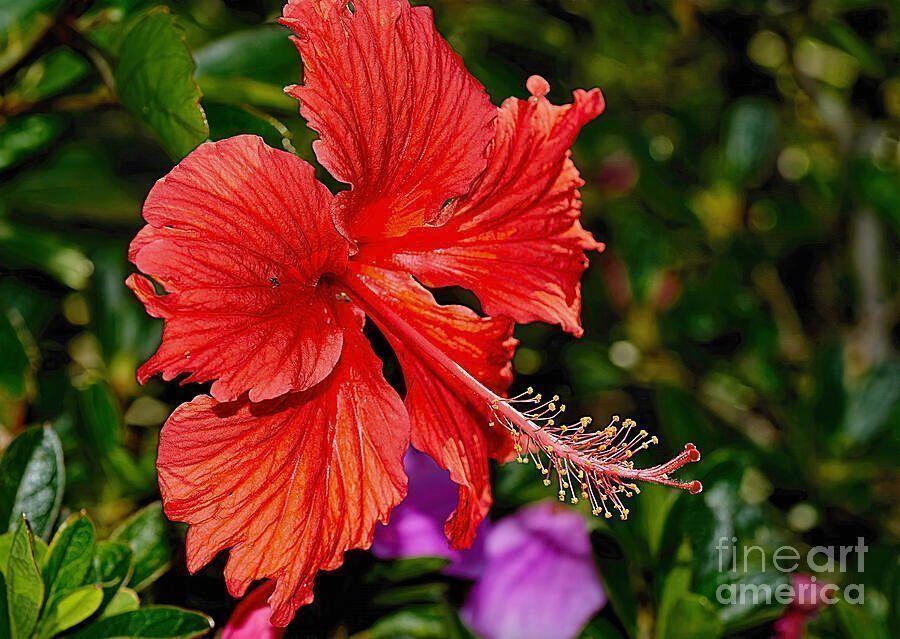
Alt...
Photograph I captured in parkland in the north of Sydney, NSW, Australia.
A vivid red hibiscus is prominently displayed against a backdrop of green leaves. Its ruffled petals glowing with rich scarlet and hints of orange as they catch the light. The delicate veins of each petal add texture and depth, while the long, graceful stamens extend outward, tipped with golden pollen.
Set against a softly blurred background of lush green foliage and subtle touches of purple, the bloom stands out as a bold symbol of tropical beauty, warmth, and natural elegance.
THE FINE ART AMERICA LOGO WILL NOT APPEAR ON PURCHASED PRINTS OR PRODUCTS.
![[?]](https://m-cdn.flipboard.social/accounts/avatars/109/938/986/483/500/773/original/c8d8a2545d7151ca.jpeg)
“I feel like we're rebooting to the last version of the Internet that I felt uncomplicated joy about.”
@Casey, @kevin and @pj on why they set up their Forkiverse fediverse server.
https://www.searchengine.show/the-fediverse-experiment/
#Fediverse #Federation #ActivityPub #Forkiverse #OpenSocial #OpenSocialWeb #Internet #Technology #Tech
Permissions meet groups
It gets really interesting when the permissions system is applied to groups. As the owner of a Hubzilla forum, you have the following options:
- You can control who can see the profile of the forum, i.e. what it is all about. For example, you can only allow confirmed members to see it. Or, in fact, you can only allow certain members to see it by assigning a specific contact role to them. Or you could make it Fediverse-specific: Only those who can be recognised as logged-in Fediverse users can see the profile. Or you can hide it altogether.
- You can control who can see the contacts, i.e. the forum members, all the same. Like, for example, only a chosen inner circle may be allowed to see the list of forum members, but Joe Average Forum Member is not.
- Likewise, you can control who can see what has already happened in the forum when visiting the group profile.
- You can choose to hide the whole forum from the directory, the place where people go to find new contacts (the mastodon.social equivalent is https://mastodon.social/directory), to keep the forum secret altogether by keeping people from finding it accidentally or by searching.
(streams) and Forte have four different types of group channels instead:
- Normal: public, group members may upload media to the group's file storage
- Limited: public, but group members may not upload media to the group's file storage
- Moderated: like Limited, but by default, posts and comments by new group members have to be approved by the admins; members may have their permissions upgraded and post and comment without approval once they've proven themselves worthy
- Restricted: private, profile is only visible to group members, stream of posts and comments is only visible to group members, posts and comments are only sent to group members, but group members may upload media to the group's file storage
As I've already said, you can grant individual permissions to your contacts on your personal channel. But you can grant individual permissions to forum users on a forum channel just the same. You can have regular users. You can have users with certain extra privileges. You can use the permissions system to silence users without kicking and blocking them.
And you can use the permissions system to appoint extra forum admins/mods. You can grant contacts permission to administer your forum. Now, this requires for your channel to recognise visitors and their identities to see what permissions they shall have and to grant them these permissions. And this requires OpenWebAuth. So right now, you can only make forum members from Hubzilla, (streams), Forte, Friendica, Mitra and Tootik additional admins/mods. But you can.
(9/9)
#Long #LongPost #CWLong #CWLongPost #FediMeta #FediverseMeta #CWFediMeta #CWFediverseMeta #Fediverse #Hubzilla #Streams #(streams) #Forte #Privacy #Security #Permission #Permissions #Groups #FediGroups #FediverseGroups #PrivateGroups
Permissions, part 3: At post level
As I've already said, whenever you write a post to start a new thread, you also define the permissions of this post. Of this post and of all replies.
Let's translate this to Mastodon again.
You know the toot visibility button, I guess. Let's assume it looks and works somewhat different. Especially the visibility options.
"Public" still exists. It does what it says on the button: It makes your toot public. Oh, and now, it also makes all replies public. There's no replying to your toot with a DM.
The other three don't exist.
Instead, as the second option, you have "Only me".
Right below, all your lists are listed up. You can pick one of them. You can send your toot to everyone on one specific list of yours and to only those on that list, all without having to mention them. Better yet: Only those on that list are permitted to see your toot. And only those on that list are permitted to see any reply to your toot. Killer feature: They can see each other's replies, and they can reply to each other.
Below that, all groups that you follow are listed up. Again, you can pick one of them. This will have the effect that your toot will go to the group, and it will be forwarded by the group to all its members, but it will not go to your followers unless they're also in that group.
Below that, there's "Custom selection". This opens another window with each one of your lists and each one of your followed accounts, each with a green "Allow" button and a red "Don't allow" button. Here, you can put together a choice of lists and single accounts whom to send your toot to and a choice of lists and single accounts whom not to send your toot to. Again, only those who receive the toot are also permitted to see it, and only them are permitted to see any of the replies, and no-one can ever change these permissions.
What sense this makes?
Imagine you have a list with a certain group of friends in it. One of them will soon celebrate their birthday, and you want to organise a birthday surprise for them. So you send a toot to that list with everyone in it, but without that person who'll soon celebrate their birthday so you won't ruin the surprise for them.
Or: Imagine you have lists according to which languages people speak. Like, you have a German list, and you have an English list. Then you can put together an audience for a German toot from lists and single followed users, but exclude the English list so that those who don't understand German anyway won't receive that toot.
By the way: This also covers DMs. And this means that DMs are actually private.
As Mastodon is right now, you can DM Alice, you can have a conversation with Alice, but Alice could mention Bob and pull him into the conversation. This also gives Bob the opportunity to read the whole thread because he has access to it now. Mastodon only defines to whom a message is sent, but not who is allowed to see it.
In this version of Mastodon, when you DM Alice, you only grant Alice permission to see your toot and everything else in the thread. Now, Alice can mention Bob all she wants, but she can't pull him into the thread. Bob won't even receive the toot with his mention in it. He is not permitted to see it. You have not granted him permission to see the start toot, and thus, you have not granted him permission to see any of the replies, including the one in which Alice mentions him. Alice cannot change any permissions in the thread. Neither can you, by the way. The moment you send the start toot, all permissions are permanently set in stone for the whole thread.
This also makes dogpiling by extra mentions in DMs impossible.
Also, this provides for very effective quote-post control. It isn't allowed to boost posts that aren't public, including replies. It isn't allowed either to Mastodon-style-quote, as in quote-post, posts that aren't public, including replies.
These DMs have another advantage of DMs on Mastodon-as-it-is-now: If you send a DM to Alice and Bob, Bob receives Alice's replies, and Alice receives Bob's replies, and the two can reply to one another.
Oh, by the way, there's another nifty button. A speech bubble. With this button, you can allow or disallow replies to your post. Mind you, again, this only works when you start a thread. You cannot allow or disallow replies to a reply that you post.
Now, how does Mastodon-as-it-is-now handle DMs from Hubzilla, (streams) and Forte? It sees them as Mastodon DMs, and it treats them like Mastodon DMs. The downside is, if I send a restricted-permission post to Alice on Mastodon and Bob on Mastodon, both perceive it as a Mastodon DM. Both can only reply to and converse with me. They can't see each other's replies, and they can't reply to each other.
(8/9)
#Long #LongPost #CWLong #CWLongPost #FediMeta #FediverseMeta #CWFediMeta #CWFediverseMeta #Fediverse #Hubzilla #Streams #(streams) #Forte #Privacy #Security #Permission #Permissions #ReplyControl
Permissions, part 3: At contact level
Let's go one level further down. The second level of Hubzilla's permission system is per contact. On Mastodon, that'd be those whom you follow.
If Mastodon was like Hubzilla, you'd have the possibility to create permission templates which you can then assign to those whom you follow. (Hubzilla calls them "contact roles", by the way.)
Like, you could make one template for those whom you really trust. You grant all permissions in that template.
Then you could make one that's more privacy-oriented. You only grant permission to send you toots, fave and reply to your toots and send you DMs.
In theory, you could also make one for those whom you absolutely must follow, but whose toots you don't want. In this one, you only grant permission to fave and reply to your toots and send you DMs. This, however, only makes sense on something that works like Facebook, something like Hubzilla, where you can only confirm follow requests by also following back because connections are always mutual by default.
Then you could go to your list of followed accounts. And you could edit and configure them, one by one. You could choose which of these permission templates is assigned to them and thereby what you allow them to do. While you're already there, you could also, for example, add them to lists or remove them from lists.
There's one catch, though: If you grant a permission for your whole account, you automatically grant it to everyone whom you follow. You cannot forbid one of your followed something your account generally allows. So if you want to be able to choose whether someone is allowed to do something or not, you must not allow it for your whole account, and instead, you must allow it followed by followed.
(streams) and Forte make things a great deal easier than Hubzilla, by the way: They don't require such templates anymore. Instead, when you go edit a contact, you'll see one on-off switch for each permission, and you can turn each permission on or off right there, right then (provided it isn't inherited from the channel). You still have such templates, but they only serve to grant the same set of permissions to a whole lot of contacts without having to click single permissions on or off for all of them.
(7/9)
#Long #LongPost #CWLong #CWLongPost #FediMeta #FediverseMeta #CWFediMeta #CWFediverseMeta #Fediverse #Hubzilla #Streams #(streams) #Forte #Privacy #Security #Permission #Permissions
Permissions, part 2: At channel level
The top level of Hubzilla's permissions system is the whole channel. On Mastodon, that'd be your account and everything that happens on it.
Translated to Mastodon again, for each of the above permissions, your account would have seven or eight choices whom to grant the corresponding permission:
- Anyone on the internet (only available where this makes sense, it's mostly viewing permissions, but it also includes "Can fave and reply to your toots")
- Anyone in the Fediverse
- Either anyone on Mastodon or anyone using ActivityPub*
- Anyone on the same server as you (mastodon.social in your case)
- Anyone who follows you**
- Any mutual followers
- Only those of your mutual followers whom you've explicitly granted that permission
- Nobody but you yourself
*It's unclear what exactly this option means. See, Hubzilla is not based on ActivityPub. It is based on its own protocol, Zot. When it was created, it was the only server software that used Zot, so limiting permissions to Hubzilla and limiting permissions to whatever uses Zot had the same effect, seeing as Hubzilla could and still can also connect to a whole lot of other things using a whole lot of other protocols. So nowadays, "Anybody in this network" may mean anybody using Zot which means anybody on Hubzilla or (streams), or it may mean anybody on Hubzilla which means just that, excluding (streams).
**This translates to Mastodon badly. Basically, Friendica, Hubzilla, (streams) and Forte know three states of connection. Either a Mastodon follow request, that's a "contact". Or a mutual follower, that's a "confirmed contact" because it's listed on your connections page, and you have control over that connection. Or only you follow someone, that's a "confirmed contact", too, because, again, because it's listed on your connections page, and you have control over that connection. The concept of confirmed follower doesn't exist because confirming a connection request will automatically make it a mutual connection. Remember we aren't talking about Twitter followers and Twitter followed, but about Faceboook friends.
The choices on (streams) and Forte, translated to Mastodon, are:
- Anyone on the internet (only available where this makes sense, it's mostly viewing permissions, but it also includes "Can fave and reply to your toots")
- Anyone in the Fediverse
- Any mutual followers
- Only you and those of your mutual followers whom you've explicitly granted that permission
To stick with Mastodon equivalents, there are a few more settings on Hubzilla (as for (streams) and Forte, I've covered them in the previous comment already).
I guess you already know the switch that hides your account from Google and other search engines and the switch that makes your account automatically accept follow requests.
You know that you can mention anyone out of the blue on Mastodon, regardless of whether they follow you or you follow them or not, and they're always notified? Imagine this being notified is optional. And off by default. On Hubzilla, both is the case.
Okay, so, next, you don't allow anyone on the internet to reply to your toots. But there's an option that "half-allows" this: Anyone on the internet can send replies to your toots, even if they don't have any Fediverse account at all. Now it comes: You have to approve these replies. You have a green button that you can click, and the reply becomes visible, and it's added to the thread to which it belongs. Before then, nobody can see the reply but you. You also have a red button, and when you click it, the reply is rejected and deleted.
There are two clear use-cases for this. One is when you want absolute control over who replies what to you. Then you don't allow anyone to reply to your toots, but you activate this option. When someone does reply, you can choose whether to let the reply through or delete it.
The other one is a use-case that doesn't work on Mastodon, namely when you want to run a Hubzilla channel as a fully public long-form blog with a target audience that isn't limited to the Fediverse, and you want everyone to be able to comment on your posts, even without having some Fediverse account and following you first, but you want to keep spam out.
Lastly, there's the option that if you don't allow everyone to see your images and other media at https://mastodon.social/@jasperb/media, these images and other media can still be seen attached to toots by those who are allowed to see the toots that they're attached to.
(6/9)
#Long #LongPost #CWLong #CWLongPost #FediMeta #FediverseMeta #CWFediMeta #CWFediverseMeta #Fediverse #Friendica #Hubzilla #Streams #(streams) #Forte #Privacy #Security #Permission #Permissions